Okay, folks. So. Tumblr’s jumped the shark in a big way, and I’m not even just talking about indiscriminately blocking all “adult” content on a platform that IS, in fact, primarily 18+.
Many blogs, like the wonderful @blackkatmagic , that are not especially NSFW have vanished.
(And I for one LIKE being able to go to curated porn blogs run by actual people and have a chance of finding stuff to my taste, it was one of the things that kept me on this hellsite, but that’s another issue entirely.)
I know lots of people are talking about migrating, but none of us are sure to where yet. Pillowfort seems to be an option, some people are talking about Twitter. But for now, it’s a mess, and even if we knew where we were going, it’s often a huge process, and a lot of us have stuff on tumblr that ONLY exists there.
One possible quick solution to save your blogs, both NSFW and personal, is to import it to WordPress. I found this solution through from frantic googling on how to save an entire blog, text posts an all. There are several apps for downloading all the pictures from a tumblr, (Plently for Windows, but only a few paid ones for mac, of which Tumbelog Picture Downloader is working for me so far) but this is the only solution I’ve seen so far that allows you to save EVERYTHING. I downloaded my NSFW blog in like 10 min. My regular blog, which is significantly larger, is in the process of importing, but I don’t anticipate any problems. I will, of course, update you if I have any.
This tutorial I found worked really easily. http://quickguide (.) tumblr (.) com/post/39780378703/backing-up-your-tumblr-blog-to-wordpress
I put parenthesis around the .’s like we’re back in FF-Hell, just in case tumblr’s new thing about outgoing links kicks in. You know what to do.
To break it down, just in case:
Sign up for a WordPress.com account at wordpress (.) com/start
You’ll have to create an account, with your email, a username, and a password. They should send you a confirmation email immediately, check it, activate it, and you’re good to go.
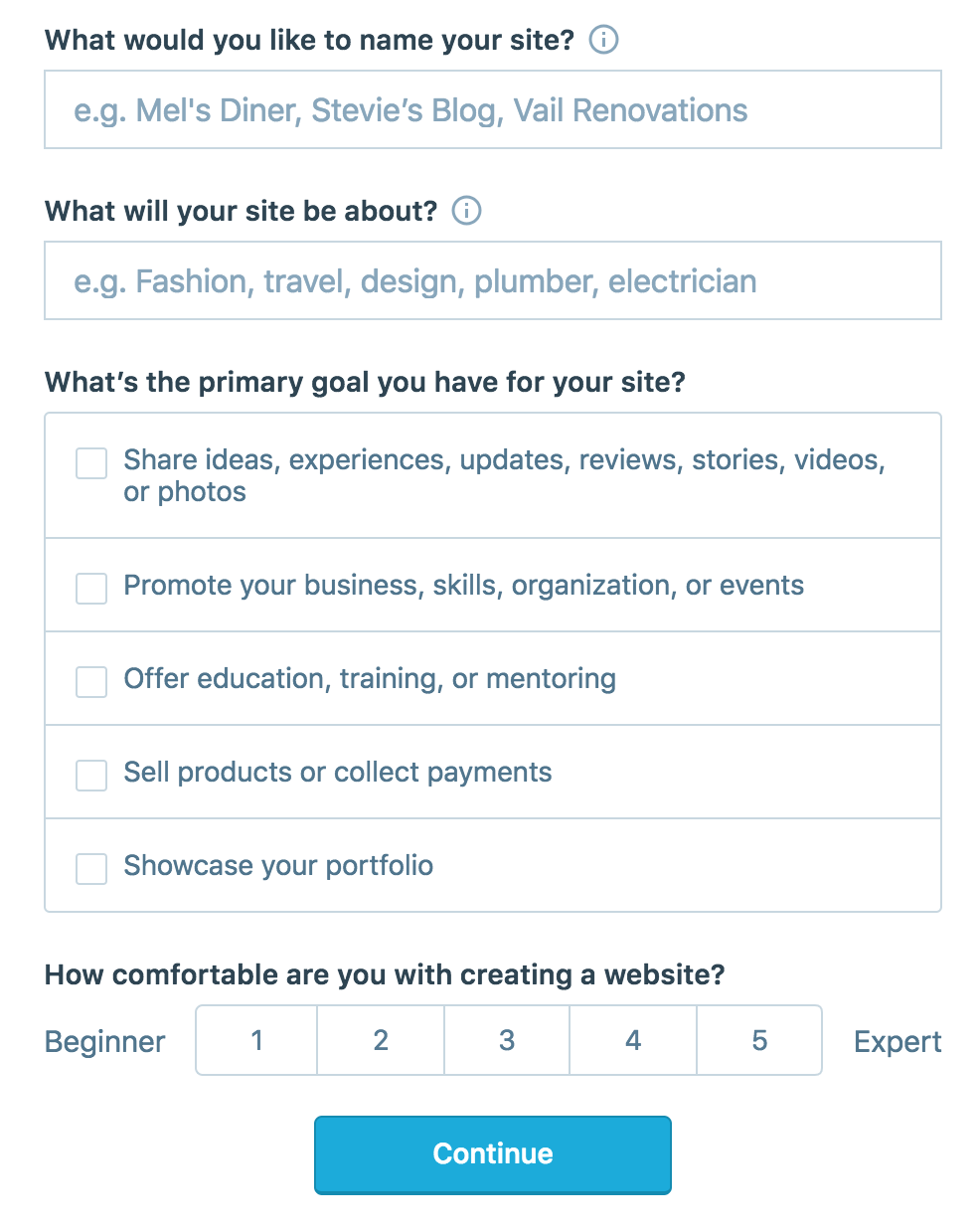
On the site, it will ask you for a site name. That page asks you a bunch of other information too, but you only have to fill out the site name.
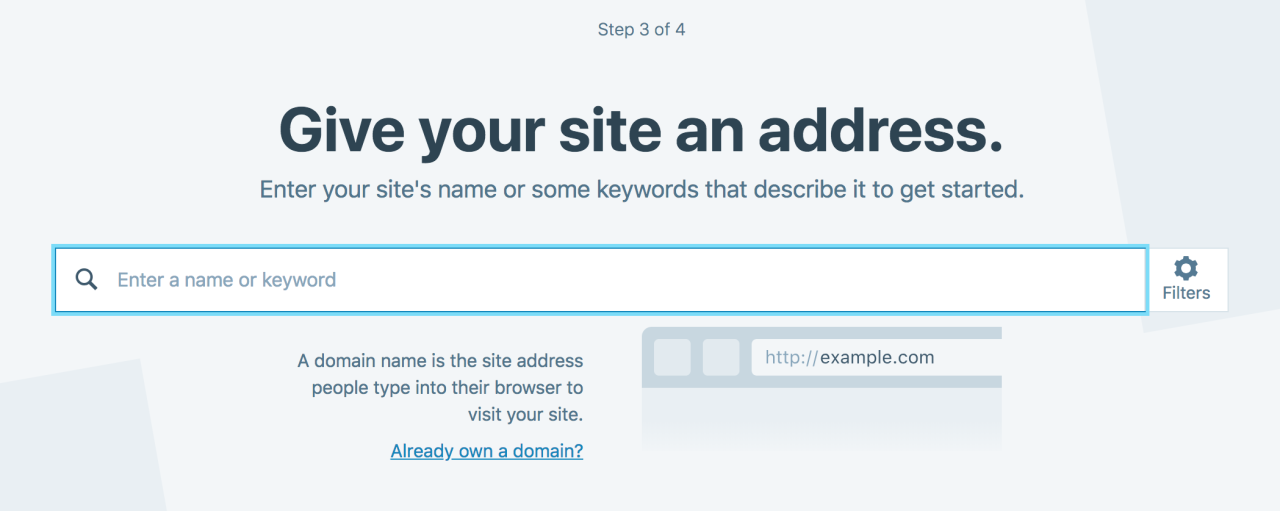
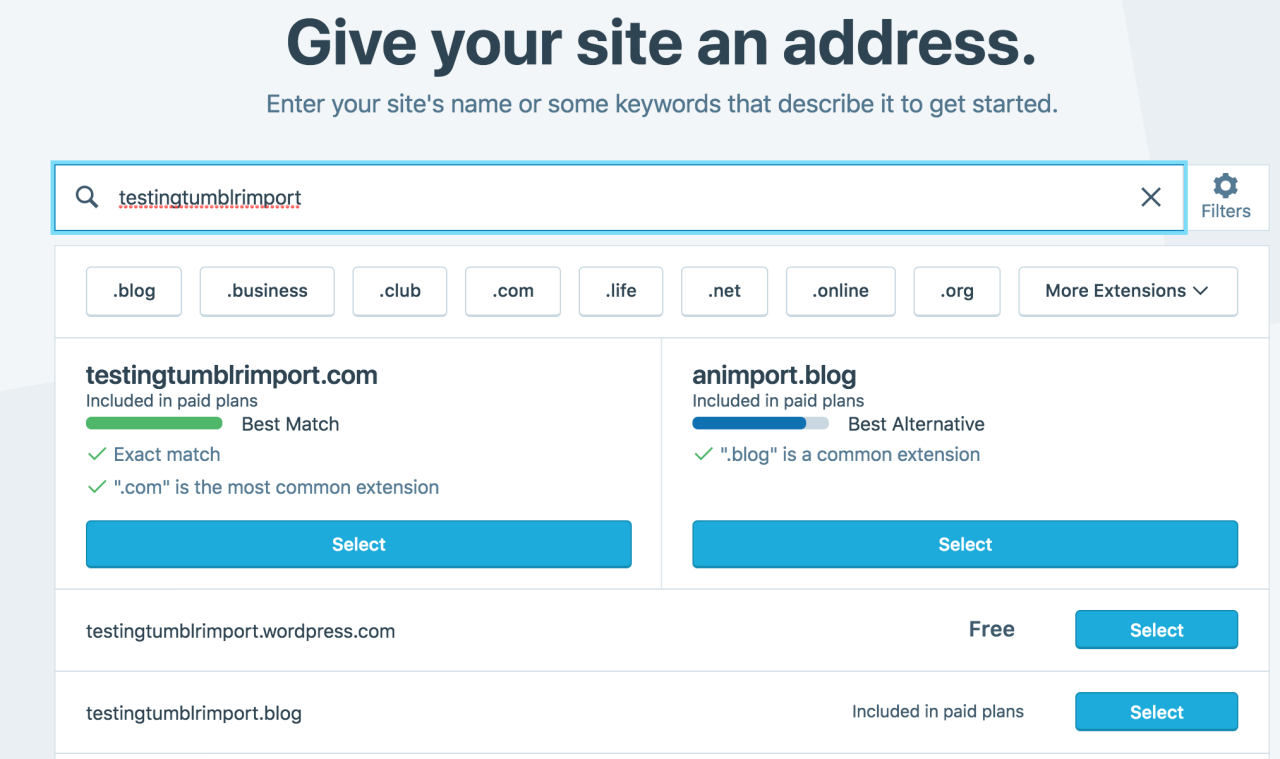
Then you have to give your site a URL. If you’re lucky, your tumblr URL is still available, if not you’ll have to come up with another one, sorry.
It will tell you if that option is still available for free.
Then it will ask you to pick a plan. Free is really good enough, I swear.
Now you’re set up! You can import your tumblr!
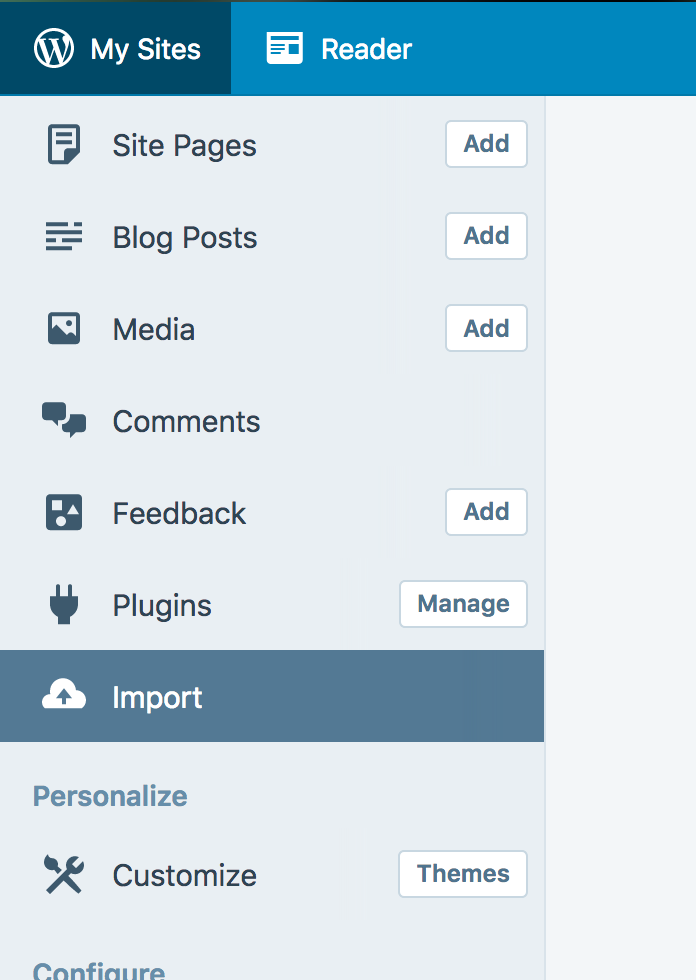
The only differences from the linked tutorial are that the Import button is now on the first level menu, not in tools.
Hit Import, then you have to follow the link for “other importers” at the bottom, to find the option for Tumblr.
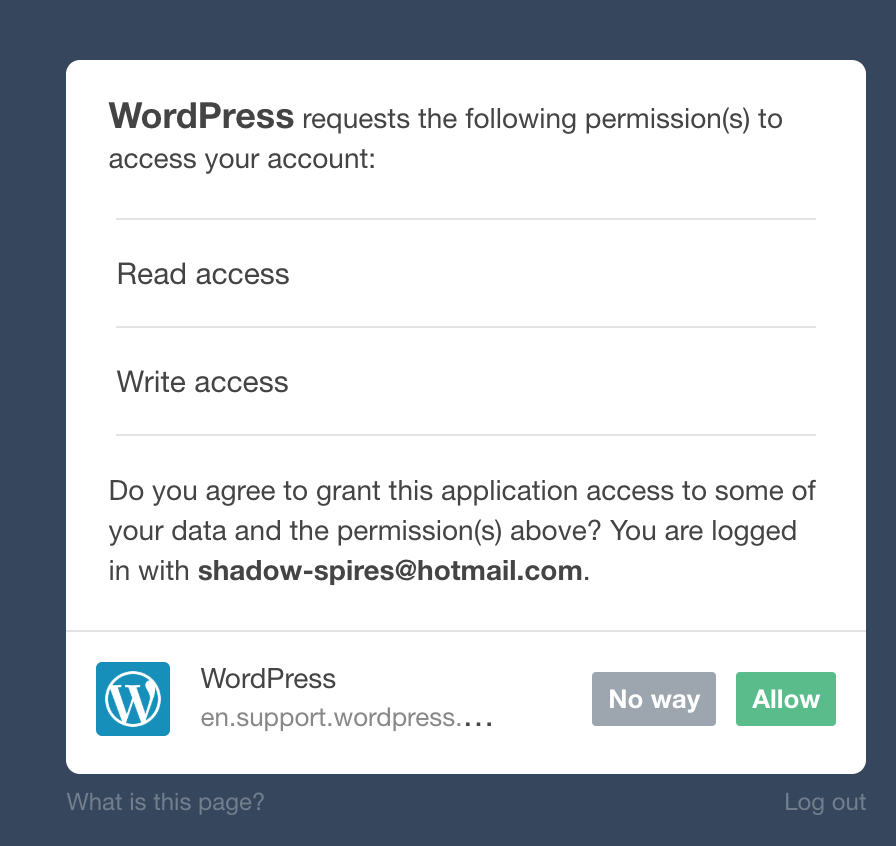
Then you’ll have to sign in with tumblr, using your normal tumblr credentials. You’ll be redirected there automatically.
You’ll have to allow WordPress permissions on your blog.
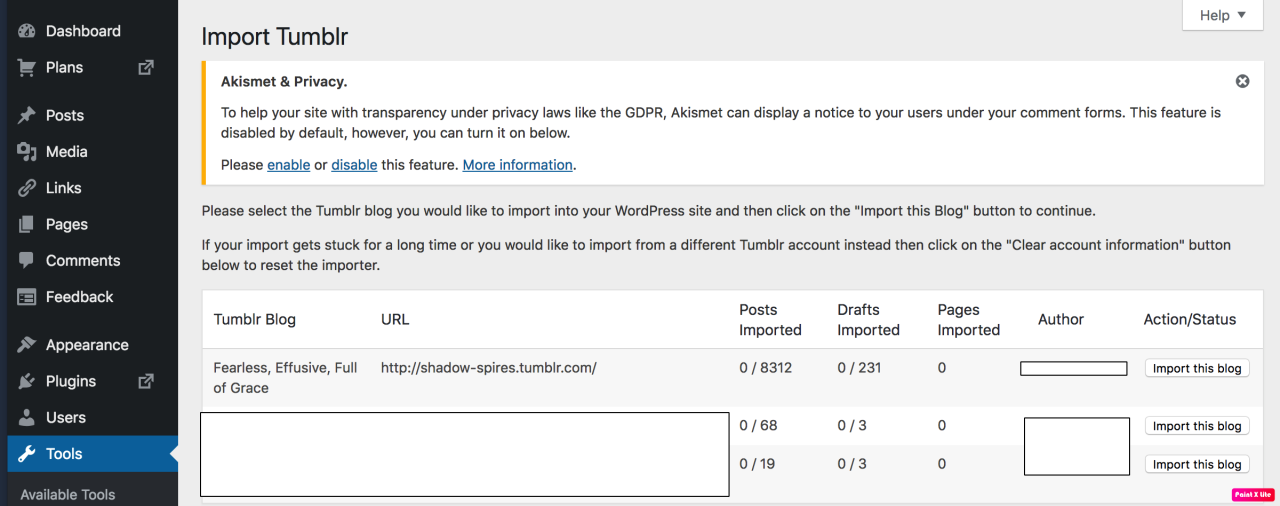
Then your blogs, including all your sideblogs, will show up in wordpress.
Hit import, wait a WHILE depending on the size of your blog, and you’re done!
ALSO!!
I made my NSFW blog private for now, since I don’t know WP’s policy on NSFW.
This means that to access it, someone has to have an account and request access. But hey, part of our problem on this hellsite has been people going places they aren’t wanted, so I don’t personally see this as a bad thing. They can send a request from the landing site on your blog, you get an email, click a link in the email, and PRESTO, they have access.
To make it private, go to Settings > Reading > Site Visibility. Go back and check, it took me changing the setting twice for it to actually stick.
tl;dr, you can import your entire blog to wordpress in just a few steps.
I’m going to tag the hell out of this, in no particular order. PLEASE reblog this and spread the word so people know it’s an option. If you’re having trouble, PM me, and I’m happy to help.
Remember a few months ago when it felt like every single website in existence updated their privacy policy? That was because of GDPR, the General Data Protection Regulation from the EU.
Another part of GDPR? Right of access / right to data portability.
What this means is that if you ask for it, companies are to give you access to your data so that you could theoretically move it to another service. Many companies have done this by allowing you to export your data and download it. Even if a company doesn’t provide an automated way, you should still be able to contact them and they should provide your data – it doesn’t have to be automatically generated and downloadable.
Tumblr does provide an automated way to export your blog. This should be done individually for each sideblog as well, if you want. (These are instructions for the website – not the app.)
Go to your blog settings page, ie https://www.tumblr.com/settings/blog/<your-blog-name>.
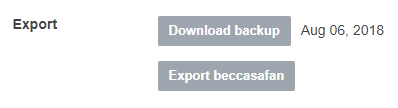
Look for the Export section (currently at the bottom)
Click the “Export <your-blog-name>” button.
Depending on the size of your blog, it may take a while to generate the export. It will say that it’s processing, and you can reload the page and come back later to check if it’s done.
When your export is processed and ready, the Export section will have a button to download.
Once you’ve downloaded the file, extract it to a folder on your computer. It will contain:
A media folder with images, gifs, videos, and audio files.
A messages xml file. Your messages are in here, even if it doesn’t look “human readable” and is gibberish to you, I promise. There are tools that will “beautify” xml to make it more readable.
A posts.zip file. Extract this and you’ll see an html folder that has an html file for each of your posts.
Holy shit they finally did it.
BTW, the size of the export varies wildly based on how much media content is on your blog. I’ve got a main and a sideblog with a little over 6000 posts each, one a bit heavier on text, the other skewing more towards photosets and the like. The zip files are 3 gigs and 11 gigs respectively.
Hm. I should do this with the boys’ blogs just in case. I backup their photos, but I do love the silly stories that we post on their pages, too.
Tumblr wants to take away all adult content on the platform, abandoning a large majority of it’s userbase which uses the site for this exact matter. Please sign the above petition if you would like to keep tumblr the way it is. They need to be shown that they will lose a HUGE amount of their traffic if they’re too carry this through.








 moulinroux tumblr